SHEET 01 · AI AGENTS
Making the Most of Claude Code: Best Practices & Hidden Features
A practical guide to the underused features, productivity workflows, and best practices for getting maximum value from Claude Code.
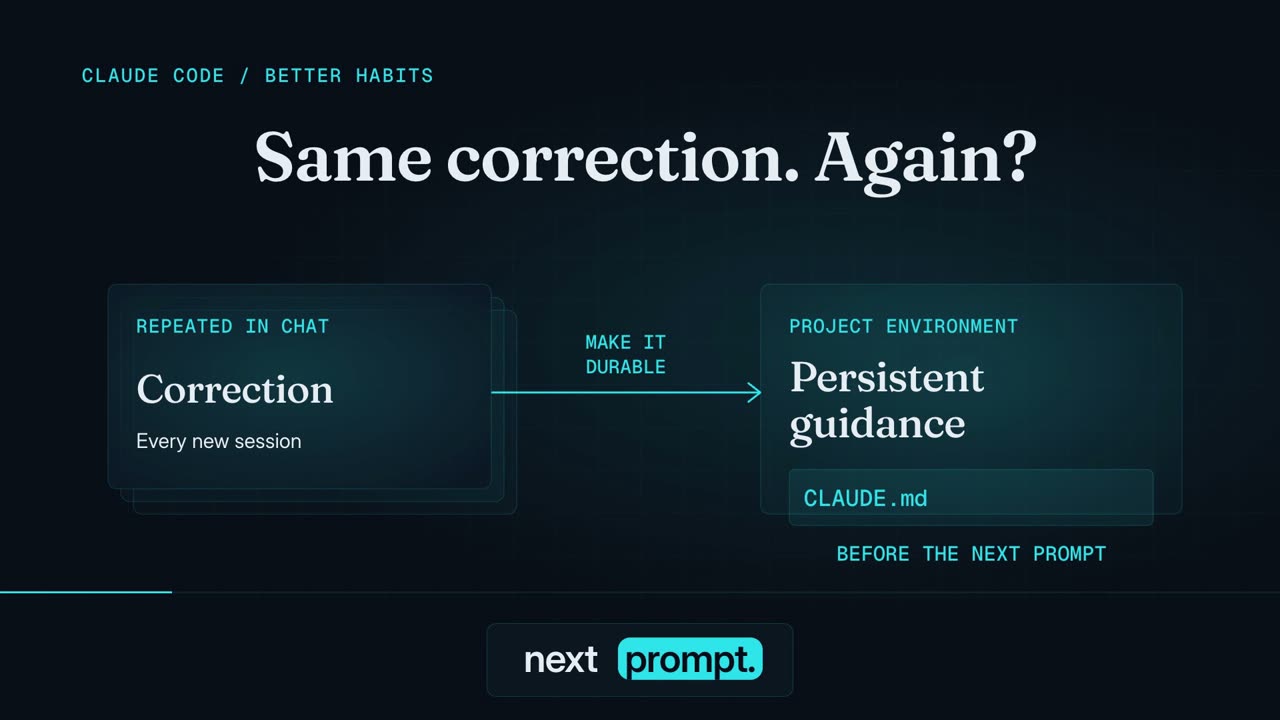
PLATE · 67s explainer · Captioned, music only
Contents
- 1. Context window management
- 2. CLAUDE.md for your persistent instructions
- 3. Plan Mode, think before you code
- 4. Hooks for deterministic automation
- 5. Skills and custom commands
- 6. Subagents and parallel agents
- 7. MCP servers extend Claude's reach
- 8. Git worktrees for isolated parallel work
- 9. Permission modes and Auto Mode
- 10. Headless mode and CI/CD integration
- 11. Plugins and the marketplace
- 12. Keyboard shortcuts and navigation
- 13. Configuration and personalisation
- 14. Scheduling and background tasks
- 15. Effort levels and adaptive reasoning
- The 10 most impactful habits
- Sources
- The context window is Claude Code's most important resource. Clear between tasks, keep one task per session, and compact proactively at around 60% capacity.
- Use
CLAUDE.mdfor advisory guidance and hooks for non-negotiables. CLAUDE.md is roughly 80% compliance; hooks run every time. - Plan Mode, skills, subagents, MCP, worktrees, headless mode, and plugins each remove a different kind of friction. Reach for the one that fits the job.
SHEET 02 · ESSAY SECTION
1. Context window management
The context window is Claude Code's most important resource. Everything in your conversation, messages, file reads, and command outputs, occupies space, and performance degrades as it fills up.
Key practices
- Use
/clearliberally. Start a fresh session for every new task. Don't let unrelated context accumulate. - One task per session. Finish a task, then start a new session for the next one. This is the single most effective strategy.
- Compact proactively at ~60% capacity, not 95%. Run
/compactwith focus instructions:
/compact focus on the API changes and the list of modified files- Add compaction instructions to CLAUDE.md so Claude always preserves what matters.
When compacting, always preserve:
- Current file paths being edited
- Test failure messages
- Architecture decisions made this session- Environment variables for compaction control:
CLAUDE_CODE_AUTO_COMPACT_WINDOWcontrols when auto-compaction triggersCLAUDE_AUTOCOMPACT_PCT_OVERRIDEsets the percentage threshold
What eats context fast
- Reading large files (read only the lines you need)
- Verbose command outputs (pipe through
headortailwhen possible) - Repeated file reads of the same content
SHEET 03 · ESSAY SECTION
2. CLAUDE.md for your persistent instructions
CLAUDE.md is Claude's long-term memory, loaded automatically at startup and treated as standing instructions for every session. It has more impact on Claude's behaviour than any other customisation.
File locations (hierarchical)
~/.claude/CLAUDE.md· global<project-root>/CLAUDE.md· project-level<subdirectory>/CLAUDE.md· directory-level
Claude loads all levels and prioritises the most nested file when relevant.
What to put in CLAUDE.md
- Build/lint/test commands · prevents Claude from scanning the codebase each time
- Code style preferences · naming conventions, formatting rules
- Architecture overview · key directories, patterns, tech stack
- Compaction preservation rules · what to keep when context is trimmed
- Tool preferences · e.g., "use uv for Python, not pip"
- Things NOT to do · e.g., "never add docstrings to code you didn't write"
What NOT to put in CLAUDE.md
- Anything that must happen 100% of the time, use Hooks instead
- Ephemeral task details, these belong in the conversation
- Information derivable from the codebase itself
Rule of thumb: CLAUDE.md is advisory (~80% compliance). Hooks are deterministic (100%). If something must happen every time without exception, make it a hook.
SHEET 04 · ESSAY SECTION
3. Plan Mode, think before you code
Plan Mode transforms Claude into a research and analysis machine that cannot modify files. It can observe, analyse, and plan, but never execute until you approve.
How to activate
- Press Shift+Tab twice to toggle Plan Mode
- Or type
/planto enter planning mode
When to use it
- Before implementing a complex feature, ask Claude to outline its approach
- When debugging, let it investigate without accidentally changing things
- For architecture decisions, get Claude's analysis before committing to an approach
- Code reviews: read and analyse without modifying
Best practice
Make a plan for implementing user authentication with JWT tokens.
Do NOT write any code until I approve the plan.
This prevents Claude from jumping straight into coding and gives you a chance to course-correct before any files are touched.
SHEET 05 · ESSAY SECTION
4. Hooks for deterministic automation
Hooks are shell commands that execute automatically at specific points in Claude Code's lifecycle. Unlike CLAUDE.md instructions, hooks guarantee execution, they run every time, regardless of model behaviour.
Hook types
Hooks attach to lifecycle events such as PreToolUse (before a tool runs), PostToolUse (after a tool completes), UserPromptSubmit, SessionStart, SessionEnd, and Stop. A matcher narrows when each one fires.
Example: auto-format after every file edit
{
  "hooks": {
    "PostToolUse": [
      {
        "matcher": "Write|Edit",
        "command": "prettier --write $CLAUDE_FILE_PATH"
      }
    ]
  }
}
Example: block dangerous commands
{
  "hooks": {
    "PreToolUse": [
      {
        "matcher": "Bash",
        "command": "echo $CLAUDE_TOOL_INPUT | grep -qE 'rm -rf|drop table|force push' && exit 1 || exit 0"
      }
    ]
  }
}
How to configure
- Run
/hooksfor an interactive menu-based setup - Or edit
.claude/settings.jsondirectly
The key insight
Use CLAUDE.md for guidelines and preferences. Use hooks for rules that must never be broken.
Linting, formatting, security checks, and compliance gates all belong in hooks, not in advisory instructions.
SHEET 06 · ESSAY SECTION
5. Skills and custom commands
Skills are markdown files that extend Claude's knowledge on demand. Unlike CLAUDE.md, which loads every session, skills load only when relevant, keeping your context lean.
Skills vs. commands vs. CLAUDE.md
- CLAUDE.md loads every session and acts as always-on standing instructions.
- Skills load on demand when Claude detects relevance (or when you invoke them), so they keep context lean.
- Custom commands are the lighter, legacy format: a single markdown file of instructions you trigger by name.
Creating a skill
Create .claude/skills/<name>/SKILL.md:
---
name: deploy
description: Deploy the application to staging or production
---

## Steps
1. Run the test suite
2. Build the production bundle
3. Deploy using the deploy script
4. Verify the deployment health check
Invoke with /deploy or Claude will auto-invoke when it detects relevance.
Creating a custom command (legacy format)
Create .claude/commands/<name>.md:
Run the full test suite, then generate a coverage report.
If coverage drops below 80%, list the uncovered files.
Invoke with /<name>.
Useful built-in skills
/compact· compress conversation history/plan· enter plan mode/hooks· configure hooks interactively/terminal-setup· configure terminal key bindings/config· adjust Claude Code settings
SHEET 07 · ESSAY SECTION
6. Subagents and parallel agents
Subagents are specialised AI assistants that run in their own context window with custom system prompts, specific tool access, and independent permissions.
Built-in subagents
- Plan · software architect for designing implementation plans
- Explore · fast codebase exploration and search
- Task · general-purpose agent for complex multi-step work
Creating custom subagents
Define in .claude/agents/<name>.md:
---
name: test-runner
description: Run tests and report results
tools:
  - Bash
  - Read
  - Glob
---

Run the project's test suite. Report failures with file paths
and line numbers. Do not modify any files.
Parallel agent teams
For truly parallel work, spin up multiple agents that coordinate through a shared task list:
- One session acts as the team lead, delegating work
- Teammates work independently in their own context windows
- They communicate through messages and shared task lists
- Each agent can work on a different feature branch using worktrees
When to use subagents
- Research tasks · let an Explore agent search while you continue working
- Independent subtasks · tests, linting, documentation in parallel
- Context isolation · keep your main context clean by delegating heavy reads
SHEET 08 · ESSAY SECTION
7. MCP servers extend Claude's reach
Model Context Protocol (MCP) connects Claude to your toolchain: databases, GitHub, Sentry, and 3,000+ integrations that go far beyond file reading and bash commands.
Configuration
Add MCP servers to .claude/settings.json:
{
  "mcpServers": {
    "github": {
      "command": "npx",
      "args": ["-y", "@modelcontextprotocol/server-github"],
      "env": {
        "GITHUB_TOKEN": "${GITHUB_TOKEN}"
      }
    }
  }
}
MCP + hooks integration
MCP tools appear in hook events with the naming pattern mcp__<server>__<tool>, so you can create hooks that trigger on specific MCP actions:
{
  "hooks": {
    "PreToolUse": [
      {
        "matcher": "mcp__github__create_pull_request",
        "command": "echo 'Creating PR, running final checks...' && npm test"
      }
    ]
  }
}
SHEET 09 · ESSAY SECTION
8. Git worktrees for isolated parallel work
Git worktrees create independent checkouts of your repo, letting multiple agents edit files in parallel without conflicts.
How it works
- Each subagent works on an isolated copy of the repo
- The worktree is automatically cleaned up if no changes are made
- If the agent produces changes, you get the worktree path and branch back
- Merge results back when ready
Use cases
- Parallel feature development: work on multiple features simultaneously
- Safe experimentation: try risky changes without affecting your main checkout
- Agent teams: each team member gets their own worktree
- A/B implementation: try two different approaches in parallel, pick the best
Activation
Worktrees can be used with subagents by setting isolation: "worktree" when launching an agent, or by using /worktree commands.
SHEET 10 · ESSAY SECTION
9. Permission modes and Auto Mode
Claude Code offers multiple permission levels to balance safety with productivity.
Permission modes
Modes range from prompting on every action, through accepting edits automatically, to fully autonomous execution. Auto Mode sits in the middle as the practical default for most work.
Auto Mode
Auto Mode is the sweet spot: it lets Claude execute without constant permission prompts while a separate classifier model reviews actions before they run.
The classifier blocks:
- Mass file deletions
- Sensitive data exfiltration attempts
- Malicious code execution
- Actions that escalate beyond your request
When the classifier blocks an action, Claude automatically tries a safer approach rather than halting.
Fine-grained permissions
You can also configure per-tool permissions in settings:
{
  "permissions": {
    "allow": ["Read", "Glob", "Grep", "Edit"],
    "deny": ["Bash(rm *)"]
  }
}
SHEET 11 · ESSAY SECTION
10. Headless mode and CI/CD integration
Headless mode (the -p flag) transforms Claude Code into a non-interactive CLI tool for automation pipelines.
Basic usage
# Simple prompt
claude -p "Summarise the changes in the last 5 commits"

# JSON output for parsing
claude -p "List all TODO comments" --output-format json

# Streaming for real-time processing
claude -p "Run and fix failing tests" --output-format stream-json
GitHub Actions integration
Anthropic provides an official GitHub Action, anthropics/claude-code-action@v1:
name: Claude Code Review
on:
  pull_request:
    types: [opened, synchronize]

jobs:
  review:
    runs-on: ubuntu-latest
    steps:
      - uses: actions/checkout@v4
      - uses: anthropics/claude-code-action@v1
        with:
          anthropic_api_key: ${{ secrets.ANTHROPIC_API_KEY }}
          prompt: "Review this PR for bugs, security issues, and code quality"
Use cases
- Automated PR reviews · Claude reviews every PR automatically
- Issue triage · assign labels, suggest fixes, answer questions
- Code generation · generate boilerplate, migrations, or tests on schedule
- Documentation · auto-generate docs from code changes
Security best practices
- Store
ANTHROPIC_API_KEYas a GitHub secret - Use
--allowedToolsto restrict tools to the minimum needed - Limit workflow permissions with GitHub's
permissionskey
SHEET 12 · ESSAY SECTION
11. Plugins and the marketplace
Plugins bundle multiple Claude Code extensions, skills, MCP servers, commands, hooks, or agents, into one installable unit.
Installing plugins
# From the official marketplace
claude plugins install <plugin-name>

# From a git repository
claude plugins install https://github.com/user/my-plugin
Notable official plugins (Anthropic-built)
- feature-dev · guided feature development with codebase analysis
- code-review · structured code review workflows
- frontend-design · production-grade frontend design guidance
- pr-review-toolkit · comprehensive PR review with specialised agents
- data · statistical analysis, visualisation, and dashboard building
Community marketplaces
- claude-plugins-official · 101+ plugins built into Claude Code
- awesome-claude-code · curated list of community skills, hooks, and plugins
- Various large community repositories with 200+ skills across engineering, marketing, product, and compliance domains
Creating your own plugin
Plugins follow a standard structure:
my-plugin/
  plugin.json        # Manifest with metadata
  skills/            # Skill definitions
  hooks/             # Hook configurations
  agents/            # Custom subagent definitions
  mcp-servers/       # MCP server configs
SHEET 13 · ESSAY SECTION
12. Keyboard shortcuts and navigation
Master these shortcuts to move faster.
Essential shortcuts
- Shift+Tab · cycle permission and plan modes
- Shift+Enter · insert a newline without submitting
- Esc · interrupt Claude mid-action
- Esc, Esc · jump back to edit an earlier message
- Ctrl+R · search command history
Terminal setup
Some terminals need configuration for Shift+Enter. Run /terminal-setup to install the binding. It works out of the box in iTerm2, WezTerm, Ghostty, and Kitty.
SHEET 14 · ESSAY SECTION
13. Configuration and personalisation
Style presets
Run /config and select a communication style to control how verbose or terse Claude is, and how much explanation it offers alongside its work.
Settings file locations
~/.claude/settings.json· user-level settings, applied everywhere.claude/settings.json· project settings, checked into the repo and shared with the team.claude/settings.local.json· personal project overrides, not committed
Useful environment variables
ANTHROPIC_API_KEY· authenticate without an interactive loginCLAUDE_CODE_AUTO_COMPACT_WINDOWandCLAUDE_AUTOCOMPACT_PCT_OVERRIDE· tune compaction behaviour
SHEET 15 · ESSAY SECTION
14. Scheduling and background tasks
The /loop command
Run a command on a recurring interval:
/loop 5m /test          # Run tests every 5 minutes
/loop 10m /compact      # Compact every 10 minutes
Defaults to 10-minute intervals if not specified.
The /schedule command
Create scheduled remote agents that execute on a cron schedule:
/schedule "Run test suite and report failures" --cron "0 9 * * *"These run as background tasks on Anthropic's infrastructure and can notify you of results.
Headless cron
For maximum control, combine headless mode with system cron:
# crontab entry
0 9 * * * claude -p "Check for dependency updates and create a PR if needed" \
  --allowedTools "Read,Bash,Write" \
  --output-format json >> /var/log/claude-updates.json
SHEET 16 · ESSAY SECTION
15. Effort levels and adaptive reasoning
Claude Code supports different effort levels that control how deeply Claude thinks about a problem.
When to use high effort
Use high effort (or the keyword "ultrathink") for:
- Architecture decisions
- Tricky debugging sessions
- Multi-step reasoning
- Complex refactoring
- Security-sensitive code review
Claude dynamically allocates thinking tokens based on problem complexity when adaptive reasoning is triggered.
When low effort suffices
- Simple file edits
- Boilerplate generation
- Straightforward questions
- Running commands
SHEET 17 · ESSAY SECTION
The 10 most impactful habits
- Clear between tasks ·
/clearis your best friend - Write a good CLAUDE.md · spend 30 minutes upfront, save hours later
- Use Plan Mode first · think before coding on complex tasks
- Compact at 60% · don't wait until context is nearly full
- Use hooks for non-negotiables · linting, formatting, security checks
- Leverage Auto Mode · stop approving every file write manually
- Create project-specific skills · encode your team's workflows
- Use subagents for research · keep your main context clean
- Set up GitHub Actions · let Claude review PRs and triage issues automatically
- Install relevant plugins · don't reinvent wheels the community has already built
Spend 30 minutes on CLAUDE.md upfront, save hours later.
SHEET 18 · ESSAY SECTION
Sources
- Best Practices for Claude Code, official docs
- 50 Claude Code Tips and Best Practices, Builder.io
- How I Use Claude Code (+ My Best Tips), Builder.io
- Claude Code Tips & Tricks, Medium/ArcKit
- Claude Code: Workflows and Best Practices 2026
- Understanding Claude Code's Full Stack: MCP, Skills, Subagents, and Hooks
- Hooks Reference, official docs
- Claude Code Customization: CLAUDE.md, Slash Commands, Skills, and Subagents
- Claude Code Auto Mode, Anthropic Engineering
- Choose a Permission Mode, official docs
- Claude Code GitHub Actions, official docs
- Create Custom Subagents, official docs
- Interactive Mode, official docs
- Model Configuration, official docs
- Create and Distribute a Plugin Marketplace, official docs
- Claude Code Extensions: MCP, Skills, Agents & Hooks Guide 2026, Morph
- The Claude Code Setup Guide That Made Me Rethink Everything, Tony Lee
- Claude Code Cheat Sheet, Complete Reference
- 8 Claude Code Settings to Customize in Minutes, Builder.io
- Claude Code Scheduling: Loop, Schedule, and Cron